


94% of companies report still being slowed down by repetitive, time-consuming tasks. This figure, highlighted by a ServiceNow compilation citing Kissflow, illustrates a paradox: while automation technologies have never been more accessible, the majority of organizations continue to waste considerable time on manual, low-value-added operations. Process automation is no longer a luxury reserved for large enterprises; it is essential for all organizations, from micro-businesses to mid-market companies, in Switzerland and France alike.
Whether you want to eliminate duplicate data entry, make your approval workflows more reliable, or digitize your SME in 2026, understanding the fundamentals of this approach is an essential first step. This article offers a structured overview: definitions, measurable benefits, available technologies, implementation steps, and common mistakes to avoid.
What Is Business Process Automation?
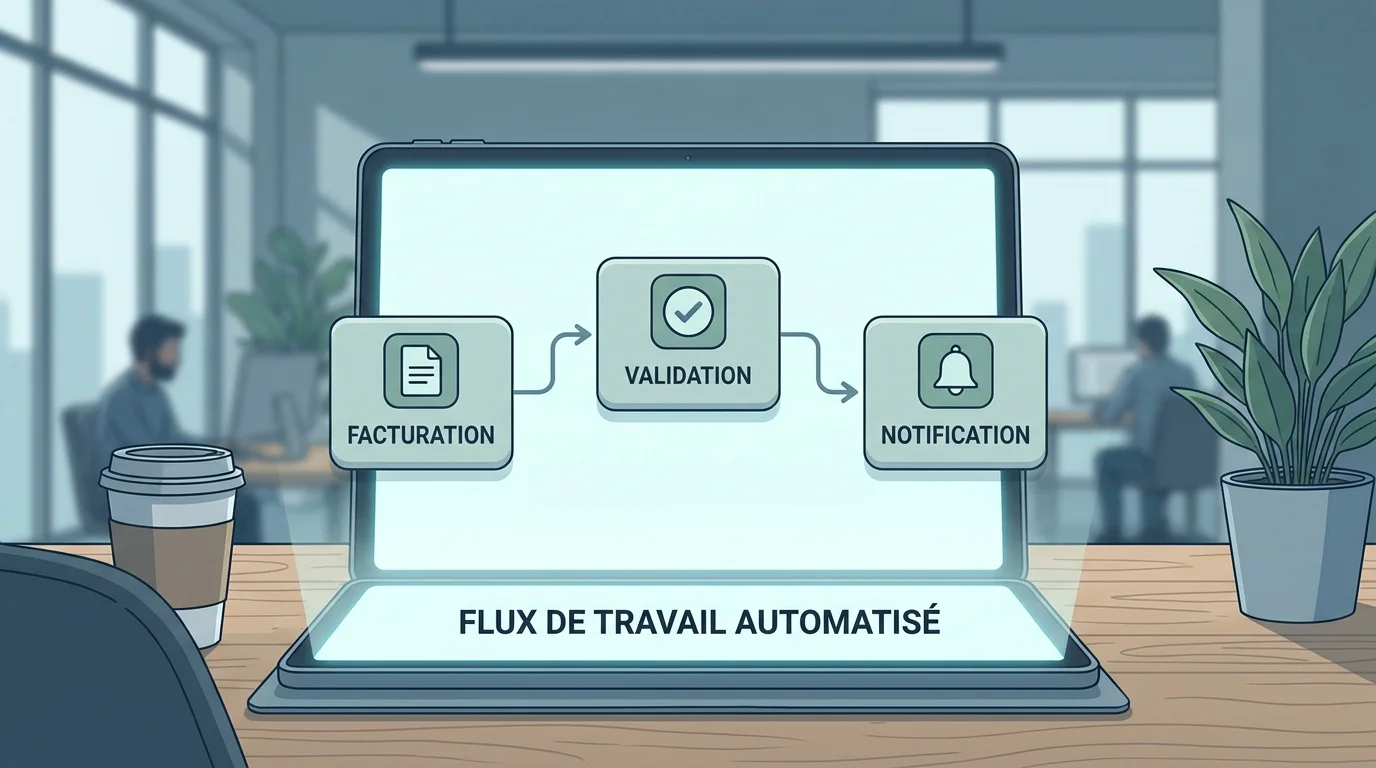
Business Process Automation (often referred to as BPA) involves delegating tasks previously performed manually to a computer program. It primarily targets repetitive, standardizable, low-value-added sequences: data entry, sending notifications, bank reconciliations, and validation workflows.
The principle relies on simple conditional logic: "if this event occurs, then perform this action." A form is completed on your website? The data automatically feeds into your CRM, a confirmation email is sent to the lead, and a notification alerts your sales team—all without human intervention.
It is helpful to distinguish between Business Process Automation (BPA) and Business Process Management (BPM). The latter encompasses overall management and continuous improvement practices, while the former is an operational tool: it is part of a BPM approach, but not every BPM initiative necessarily requires automation.
Why Automate? The Measurable Benefits
The arguments in favor of automation are not just marketing promises. They are quantified and documented by international studies.
Time Savings and Reduced Operational Costs
Let's look at a concrete example: managing 20 job applications per week. Spending 15 minutes per file (review, sorting, replying, updating a tracker), you invest over 230 hours a year on this single task. An automated workflow reduces this time to a few seconds per candidate. The time freed up can be reallocated to qualitative candidate analysis or strategic consulting.
On a larger scale, according to data compiled by Thunderbit in 2026, companies investing in automation see a significant reduction in their operational costs, while the majority of users report working faster thanks to these tools.
Reliability and Error Reduction
Repetitive tasks are breeding grounds for human error: oversights, typos, misfiled information. An automated process always executes the exact same actions, the exact same way, without fatigue or distraction. In the event of an anomaly, an alert allows you to fix the problem once and permanently improve the workflow.
Customer Satisfaction and Responsiveness
An instant confirmation email after an order, follow-ups scheduled at the right moment, customer data seamlessly synchronized across your tools—automation improves the customer experience without adding work for your team. Companies that standardize their customer relations processes see greater consistency in their interactions, a key factor in loyalty.
Compliance and Traceability
In highly regulated sectors (finance, healthcare, manufacturing), automation integrates systematic controls and generates a complete audit trail. Every action is timestamped, and every approval is documented. This traceability greatly simplifies compliance audits and reduces regulatory risks.
A Fast-Growing Market
The global industrial automation and control systems market is estimated to reach $250.3 billion in 2026, up from $226.8 billion in 2025, according to data from Thunderbit. This continuous growth reflects the mass adoption of these technologies by companies of all sizes.
According to a PwC estimate cited by ServiceNow, the potential contribution of automation and AI to the global economy could reach $15.7 trillion by 2030. Robotic Process Automation (RPA) has an adoption rate of 39%, making it the most widely deployed AI-related technology in businesses, according to a report published by Hostinger in January 2026.
These figures confirm a fundamental trend: automation is no longer a niche topic reserved for CIOs of large multinationals. It has become a strategic driver for SMEs and mid-market companies aiming to remain competitive.
Key Technologies: RPA, No-Code, AI, and ERPs
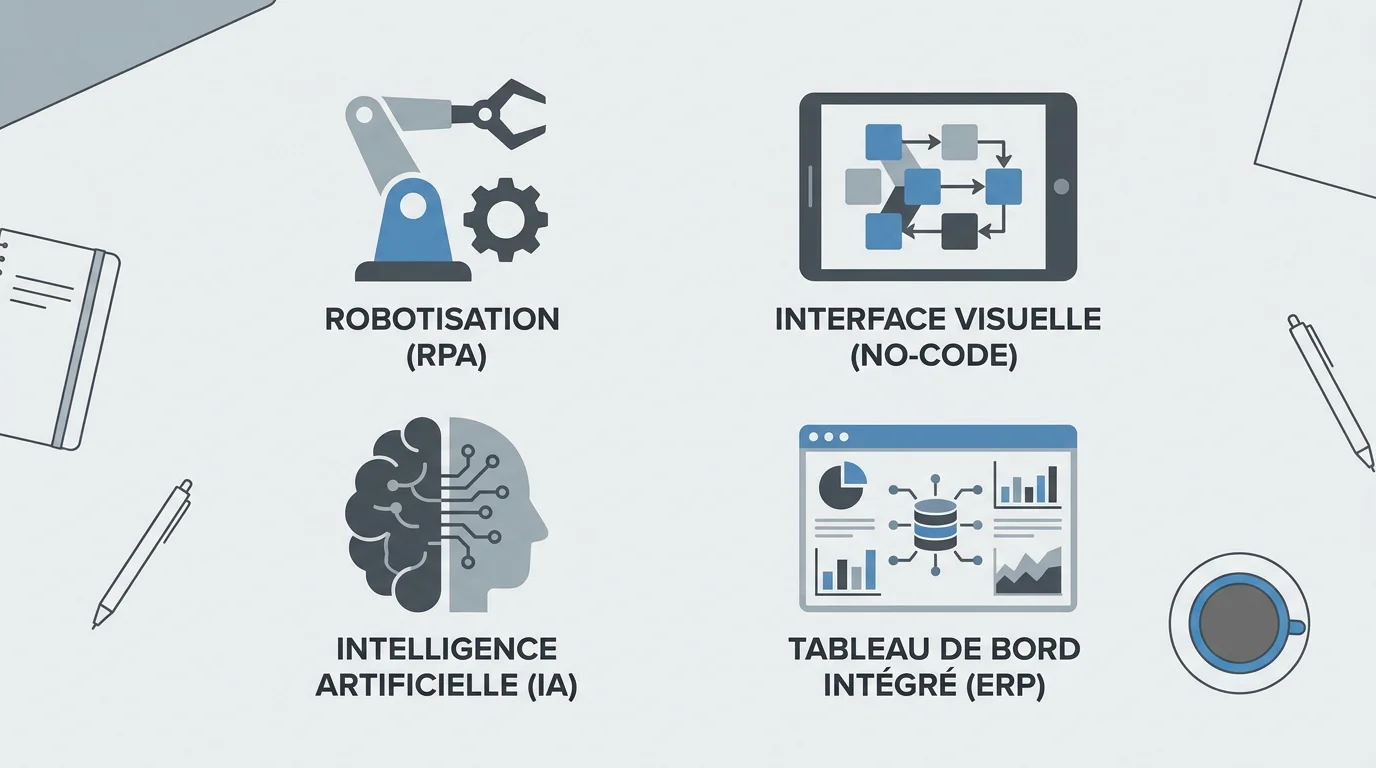
Several types of solutions coexist. The choice depends on your digital maturity, process complexity, and internal resources.
RPA (Robotic Process Automation)
RPA uses software scripts ("bots") to mimic human actions within application interfaces: copying/pasting data, filling out forms, extracting information from emails. It excels at high-volume tasks with fixed rules and low variability. While deployment is fast, maintenance can become costly if the underlying software interfaces change frequently.
No-Code and Low-Code Platforms
No-code tools (Zapier, Make, n8n, among others) let you build visual automations between your cloud apps without writing a single line of code. Their logic relies on connectors (APIs) and "trigger → action" chains. They are particularly suited for micro-businesses and SMEs that want to automate simple workflows (transferring form data to CRM, notifications, follow-ups) without dedicating extensive technical resources.
Artificial Intelligence
AI adds an intelligent layer to automations: content analysis, document classification, text generation, and contextual decision-making. 51% of companies now use generative AI for content creation, customer support, and process automation. However, AI requires more advanced technical skills and can be overkill for everyday automation tasks.
If you would like to explore this potential for your organization, we have compiled several AI use cases for process automation, featuring concrete feedback and insights.
ERPs (SAP, Microsoft Dynamics 365)
An ERP centralizes all business data and workflows (purchasing, sales, accounting, production, HR) into a single system of record. It natively integrates automation features: approval loops, alerts, automatic reconciliations, and real-time reporting. Choosing the right ERP is a critical decision. To evaluate your options, we have written a comparison guide to help you choose the right ERP to automate your processes.
| Technology | Implementation Complexity | Target Profile | Example Use Case |
|---|---|---|---|
| RPA | Medium | Mid-market, large corporations | Extracting invoice data |
| No-code / Low-code | Low | Micro-businesses, SMEs | Form → CRM synchronization |
| AI (generative, predictive) | High | Advanced SMEs, mid-market | Automated document classification |
| ERP (SAP, Dynamics 365) | High | SMEs, mid-market, large corporations | Integrated purchasing/sales/accounting management |
| Bespoke software (SapAngel) | Medium to high | SMEs, mid-market, large corporations | Custom quotation, invoicing, and validation automation tailored to your workflows |
Five Steps to Methodically Automate Your Processes
Diving into automation without a methodology is like automating chaos. Here is a structured five-step approach.
1. Map Your Existing Processes
Before automating anything, you must understand your current state. List your main processes, detail every step, and identify key players, tools used, and friction points. A simple visual diagram is enough to start. The goal is to establish a reference document that serves as the foundation for the entire project.
2. Identify Automatable Tasks
Among the mapped steps, look for those that are repetitive, based on clear rules, time-consuming, and of low added value. Email dispatches, hierarchical approvals, deadline-driven follow-ups, reconciling two data sources, and generating reports are ideal candidates.
3. Prioritize by Impact and Feasibility
Don't try to automate everything at once. Focus your efforts on processes that combine high volume, strategic importance (where human error is costly), and established standardization. A successful pilot on a specific workflow builds credibility with teams and facilitates gradual scaling.
4. Choose the Right Tool for Your Needs
The market offers a wide variety of solutions. Compare options, test platforms, and consult with vendors. Your tool must integrate with your existing ecosystem, scale with your needs, and respect security constraints (hosting, GDPR). If your workflows are unique and don't fit into standard off-the-shelf software, a custom solution can be more cost-effective in the medium term than stacking generic tools.
5. Manage Change and Measure Results
The tool itself is not enough. Communicate early with the teams involved, train users, and define key performance indicators (KPIs) from the start (processing time, error rate, volume processed). A few weeks after launch, analyze results and adjust. Automation is a continuous improvement cycle, not a one-off project.
Concrete Examples by Business Function
Automation applies to all company departments. Here are four common use cases.
Accounting and Finance
Accounts payable processing is a classic example. OCR technology digitizes and extracts invoice data. Reconciling it with the purchase order is handled automatically, and a workflow routes the document to the designated approvers. Once approved, journal entries are generated without re-keying data. Bank reconciliation follows the same logic, where your software suggests matches between your books and bank statements.
Human Resources
From recruitment (automated job posting, centralized applications, interview scheduling) to onboarding (programmed task flows for new hires) and leave management (requests, notifications, one-click approvals), HR is packed with automatable processes. According to a CareerBuilder survey, 67% of employers who automated their talent acquisition and management processes reported cost and resource savings. Highly automated organizations are even six times more likely to experience revenue growth of over 15%, according to data compiled by PeopleSpheres.
Customer Relations
Chatbots handle first-level routine queries, freeing agents for complex cases. AI qualifies and routes each ticket to the most appropriate representative. Sales follow-ups, post-purchase emails, and satisfaction surveys can trigger automatically based on user behavior.
Operations and Manufacturing
In manufacturing, automation orchestrates coordination among teams, standardizes work methods, and ensures end-to-end traceability across the value chain. To dive deeper, visit our dedicated page on process automation in manufacturing.
Common Mistakes to Avoid
The failure of an automation project is rarely technological. It is almost always organizational.
Automating chaos. If your process isn't clear, standardized, and documented, automating it will only accelerate its inefficiency. Map and streamline your processes before connecting any tools.
Trying to do everything at once. Start with a single workflow, measure the results, and then scale gradually. A massive deployment risks overwhelming your teams and hurting adoption.
Neglecting the human factor. Resistance to change is natural. Involve users from the design phase, demonstrate concrete benefits, and provide training. A tool that nobody uses yields zero ROI.
Underestimating maintenance. An automated workflow is not static. Tools evolve, APIs change, and business rules adapt. Assign a maintenance owner and set up a regular review process.
Ignoring security and compliance. Automation handles sensitive data (invoices, personal data, contracts). Ensure your solution complies with GDPR, hosting complies with your geographic requirements, and access is fully audited.
Automation in 2026: Trends to Watch
The automation landscape is evolving rapidly. Three trends shape the market in 2026.
Agentic automation. Autonomous "AI agents" capable of sequencing multiple complex tasks without human intervention are emerging as the next frontier. Unlike classic RPA bots, they adapt to context and make intermediary decisions. While reliability remains a key challenge, progress is rapid.
The convergence of AI and automation. AI in automation streamlines repetitive tasks while allowing employees to focus on more complex, creative missions. Generative AI, used by 51% of companies, is increasingly integrated into automation platforms to enrich existing flows: document analysis, draft generation, and predictive scoring.
Democratization through no-code. Visual platforms make automation accessible to non-technical users. This trend is highly favorable for SMEs lacking dedicated internal IT resources. According to France Num (updated in May 2026), no-code tools "represent a particularly interesting option for digitizing the processes of SMBs and SMEs without requiring computer programming skills."
Conclusion
Business process automation is no longer optional; it is a measurable competitive driver. Time savings, fewer errors, enhanced customer experience, stronger compliance—the benefits touch every part of the organization. The global market, hitting $250 billion in 2026, testifies to the scale of this ongoing transformation. To succeed, the methodology is key: map, prioritize, select tools, guide users, and measure.
Whether you are an SME looking to eliminate duplicate data entry or a mid-market company embarking on a structural ERP project, the key is to start with a manageable scope and progress step-by-step. With a dedicated expert, software matched to your real workflows, and dual technical and business expertise, the transition is seamless. To assess your needs and draft your roadmap, explore our digitalization support and book a 30-minute scoping call.
Frequently Asked Questions
How do I start automating my company's processes?
Start by mapping your current processes and identifying repetitive, time-consuming, and error-prone tasks. Choose an initial high-impact workflow (billing, follow-ups, onboarding) and deploy a pilot before scaling. This gradual approach minimizes risks and eases adoption.
Do I need technical skills to automate my workflows?
Not necessarily. No-code platforms let you build visual automations without programming. For more complex requirements (ERP integration, custom software), technical support is highly recommended. At SapAngel, we build tailored custom software delivered in three months at a fixed price, designed around your exact workflows.
What is the typical ROI of an automation project?
ROI varies depending on scope and complexity. The quickest returns typically come from reduced processing times and fewer errors. Most companies see a positive return within the first 12 months, provided they target high-volume processes and measure outcomes from day one.